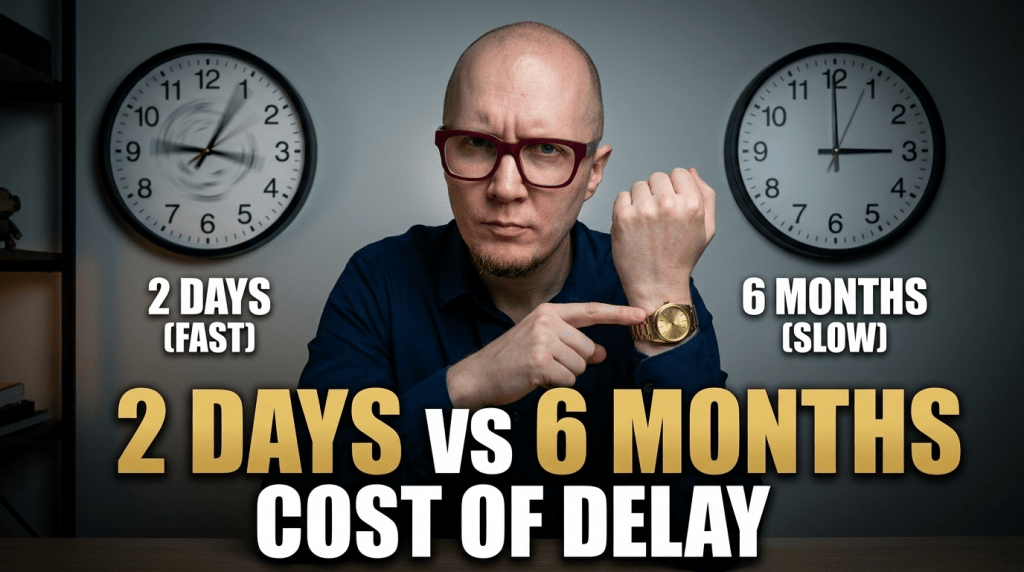
Website Redesign Timeline: 2 Days vs 6 Months (What a Slow Website Redesign Timeline Actually Costs)
It’s January. You sign with a web design agency. They promise a website redesign timeline of two months – delivery by March.
It’s now July. Your site still isn’t live.
Meanwhile, your competitor launched their new site in February. They’ve been capturing the leads your broken mobile site has been losing for 5 months.
Here’s what actually happens during those months – and why timeline matters more than you think.
The “2-Month” Agency Project That Takes 6 Months
Week 1-2: Kickoff and Discovery
What they tell you: “We’re gathering requirements and understanding your firm.”
What actually happens:
– 1-hour kickoff call (could have been an email)
– They send you a 15-page questionnaire
– You spend 3 hours answering questions about brand values and target audience
– They spend 30 minutes skimming your answers
Time elapsed: 2 weeks
Actual work: 4 hours total
Week 3-6: “Strategy Phase”
What they tell you: “We’re developing your site strategy and architecture.”
What actually happens:
– Junior strategist creates a sitemap (1 hour of work)
– They send it to you for review
– You respond in 2 days
– They don’t look at your feedback for 10 days because they’re busy with other clients
– Another round of revisions
Time elapsed: 4 weeks
Actual work: 5 hours spread across a month
Week 7-10: Design Mockups
What they tell you: “Our design team is creating your custom homepage concept.”
What actually happens:
– Week 7: Designer assigned to your project
– Week 8: Designer creates initial mockup
– Week 9: Internal review and revisions
– Week 10: They finally send you the mockup
You review it in 1 day. They take 2 weeks to make the changes because the designer is now on another project.
Time elapsed: 4 weeks
Actual work: 20 hours (but spread across a month)
Week 11-14: Design Revisions
What they tell you: “We’re refining the design based on your feedback.”
What actually happens:
– You request 8 changes
– They implement 5 of them
– You ask about the other 3
– “Oh, those weren’t included in this revision round”
– You have to escalate to the project manager
– They agree to include them “as a courtesy”
Time elapsed: 4 weeks
Actual work: 10 hours
Week 15-18: Internal Pages Design
What they tell you: “We’re designing your practice area pages.”
What actually happens:
– They create 3 page templates
– Send them to you
– You approve in 2 days
– They sit on it for 2 weeks before moving to development
Time elapsed: 4 weeks
Actual work: 15 hours
Week 19-24: Development
What they tell you: “We’re building the site now.”
What actually happens:
– Week 19-20: Developer builds homepage
– Week 21: Developer on vacation
– Week 22-23: Developer builds internal pages
– Week 24: Developer fixes bugs from weeks 19-23
Time elapsed: 6 weeks
Actual work: 35 hours
Week 25-26: Content Population
What they tell you: “We’re adding your content to the site.”
What actually happens:
– Intern copies your content from old site to new site
– Adds placeholder images where you didn’t provide photos
– Breaks formatting in 6 different places
Time elapsed: 2 weeks
Actual work: 6 hours
Week 27-28: Your Review
What they tell you: “The site is ready for your review!”
What actually happens:
– You find 30 issues (broken links, wrong phone numbers, missing content)
– You send detailed list
– They fix 20 of them
– You send another list
– “Additional revisions are $200/hour”
– You argue
– They fix the critical ones
Time elapsed: 2 weeks
Actual work: 8 hours
Week 29-30: Launch Prep
What they tell you: “We’re preparing for launch!”
What actually happens:
– Moving DNS settings
– SSL certificate setup
– Waiting for DNS propagation
– Final testing
Time elapsed: 2 weeks
Actual work: 4 hours
Total timeline: 30 weeks (7 months)
Total actual work: 107 hours (about 3 weeks of full-time work)
Why Does It Take So Long?
1. You’re Not Their Only Client
They’re juggling 10-15 projects simultaneously. Your designer works on your site 4 hours this week, then moves to another client for 2 weeks.
2. Handoffs and Coordination
- Sales person → project manager (1 week delay)
- Project manager → strategist (1 week delay)
- Strategist → designer (2 week delay)
- Designer → developer (2 week delay)
- Developer → QA tester (1 week delay)
Each handoff adds wait time.
3. Internal Approval Process
Before you see anything, it goes through:
– Junior designer → senior designer → creative director → project manager
That’s 1-2 weeks of internal review before you get to review.
4. They’re Not Incentivized to Move Fast
They already have your $15,000 deposit. There’s no penalty for missing deadlines. They make the same money whether they deliver in 2 months or 8 months.
What Delay Costs You
According to the Clio Legal Trends Report, when it comes to website redesign timeline, let’s be conservative. Your current website is losing you 5 qualified leads per month compared to what a modern site would capture.
Month 1-2 (Agency onboarding): 10 lost leads
Month 3-4 (Design phase): 10 lost leads
Month 5-6 (Development): 10 lost leads
Month 7 (Launch): 5 lost leads
Total: 35 lost leads
At $5,000 average case value and 25% close rate:
– 35 leads × 0.25 = 8.75 cases
– 8.75 cases × $5,000 = $43,750
You paid $25,000 for the website. You lost $43,750 in opportunity cost waiting for it.
Total cost of the “cheap” agency: $
understanding website redesign timeline is essential — What you think will happen:
– Weekend 1: Pick a template
– Weekend 2: Customize design
– Weekend 3: Add content
– Weekend 4: Launch
– Weekend 4: Launch
What actually happens:
Proof From The Field
Real test: 92% of law firms never called back
We submitted forms to 51 PI firms after 6 PM. See who responded and who lost the lead.

Revenue Leak
Calculate What You're Losing
Missed calls = missed revenue. Run the math right here.
Estimated annual revenue lost
$7,500,000
6 missed calls/day × $5,000 avg case × 250 work days
Plans from $249/mo. 30-day free trial. No setup fee.
Month 1: Spend 10 hours researching platforms. Choose Squarespace. Spend 5 hours picking a template. Pick one.
Month 2: Spend 15 hours trying to customize it. Realize you need a different template. Start over.
Month 3: Spend 12 hours adding content. Realize you hate writing. Content is terrible.
Month 4-5: Website sits 60% done. You’re too busy with cases to work on it.
Month 6: Guilty motivation kicks in. You spend a weekend finishing it. It looks… fine. Not great. Fine.
Total time: 50-80 hours spread across 6 months
Lost leads during that time: 30-40
Opportunity cost: $37,500-$50,000
And your site still looks homemade
The ABA Legal Technology Survey highlights that for website redesign timeline, Hour 0: You input your current website URL
Hour 0.05 (3 minutes): AI analyzes your content, practice areas, location
Hour 0.5 (30 minutes): You review 3 different design mockups
Hour 0.6: You select your favorite and pay $997 AI redesign
Hour 24: AI generates complete website files
Hour 48: Site is live on your domain
Hour 48: Site is live on your domain
Total time: Under 1 hour of your time
Lost leads: Zero (you’re live in 2 days)
Opportunity cost: Minimal
Website Redesign Timeline Comparison: Real Numbers
| Approach | Start to Launch | Your Time Required | Lost Leads | Total Cost |
|---|---|---|---|---|
| Agency | 4-7 months | 15-25 hours | 20-35 leads | $40K-$68K |
| DIY | 3-12 months | 50-100 hours | 15-40 leads | $37K-$50K |
| AI-Powered | 48 hours | Under 1 hour | 0 leads | $997 |
“But I Want It Perfect”
Perfection is the enemy of revenue.
A website that’s 80% perfect and live today makes you more money than a website that’s 100% perfect but live in 6 months.
Why?
Because prospects don’t compare your site to some theoretical perfect website. They compare it to your competitors’ sites.
If your competitor has a modern, mobile-responsive site and you have a 2015 site for 6 more months, they’re winning cases that could have been yours.
“What If I Need Custom Features?”
Most attorneys don’t.
Do you actually need:
– Custom case results database with advanced filtering?
– Client portal integration?
– Multi-step intake forms with conditional logic?
– Attorney directory with 50+ attorneys?
If yes, you need a custom build. Timeline and budget are justified.
If no, you’re overthinking it. You need:
– Homepage that explains what you do
– Practice area pages
– About page
– Contact form
– Attorney
in terms of website redesign timeline, let’s say you’re deciding between:
1. Agency ($25K, 5-month timeline)
2. AI ($997, 2-day timeline)
Let’s say you’re deciding between:
1. Agency ($25K, 5-month timeline)
2. AI ($997, 2-day timeline)
Agency timeline cost:
– 5 months × 5 lost leads/month = 25 lost leads
– 25 × 0.25 close rate × $5,000 = $31,250 opportunity cost
– Plus $25,000 project cost
– Total: $56,250
AI timeline cost:
– 2 days ≈ 0 lost leads
– Plus $997 project cost
– Total: $997
Savings: $55,253
Even if the agency site is 20% better than the AI site, you’re still ahead financially by launching fast.
What About Ongoing Updates?
Agency approach:
– Small updates: $150-300/hour
– Major redesign in 3 years: $20,000-30,000
– You’re locked into their maintenance plan
AI approach:
– Generate a new site whenever you want: $997
– No ongoing maintenance fees
– No vendor lock-in
If you want to refresh your site every year, AI costs $997/year. Agency costs $3,600/year in maintenance fees alone (before any updates).
When Slow Makes Sense
As Forbes notes, The only time a 6-month timeline makes sense:
– You’re a 20+ attorney firm undergoing a complete rebrand
– You need custom software integrations
– You’re launching multiple practice area microsites simultaneously
– You have a dedicated marketing team managing the project
For solo attorneys and small firms? Slow is just expensive.
Bottom Line
Every day your website isn’t working is a day you’re losing cases to competitors.
Agencies take 4-7 months because they’re juggling 15 clients and have no incentive to move faster.
DIY takes 6-12 months because you underestimate how much work it is and you’re too busy practicing law.
AI takes 48 hours because there’s no human bottleneck.
Speed isn’t about impatience. It’s about not losing $40,000-$70,000 in opportunity cost while waiting for perfection.
Ready to launch in 48 hours? Try our AI redesign tool. Input your URL, review mockups in 5 minutes, go live in 2 days.
No 6-month wait. No lost leads. No opportunity cost.
About the Author: Evgenii Zhenin is the founder of 2bizy, an AI-powered business automation platform that helps law firms modernize their digital presence. Learn more at 2bizy.com.